




Editorial Team Deck


 +7
 WorkBuddy
The Skills Fable 5 users run in Claude Code, zipped for WorkBuddy. Upload one and Tencent's office agent turns everyday tasks into designed slides, single-page sites, launch films and pictures.
Updated November 20, 2026 · 215 Skills for WorkBuddy
The Skills installed most for each kind of work you can hand WorkBuddy. Every card shows a real result.
HTML decks you edit in a browser, then export as a PowerPoint file you can still edit.
A meet-the-team slide skill for Claude Fable 5: ten pages of black-and-white portraits, heavy capitals, gray and near-black grounds and violet arrow tiles.
A pitch deck skill for Claude Fable 5: nine lilac and ink-violet slides with glass artwork, from the problem and pilot results to pricing, roadmap and team.
Ten crisp company profile slides from your Fable 5 agent: slanted cobalt title ribbons, angled photo cuts, and white pages carrying key numbers, steps, one bar chart and a table.
For studios and firms that want to sound friendly: a PowerPoint skill for Fable 5 with steel-blue framed pages, curved photo corners and a few big figures.
Landing pages, admin dashboards and shops with real layouts, typography and motion.
Build a pharmacy storefront with Claude Fable 5: one HTML file, 30-plus routes, a filtered shop, product pages, a bag that works, demo checkout and booking.
A portfolio site skill for Claude Fable 5: 19 pages on a white sheet inside a lime border, with a portrait hero, priced services and six case studies that end in mock-ups you can use.
A Fable 5 landing page skill for software and AI products: a dark five-route site, with a live app preview, pricing toggle, help search, events and changelog.
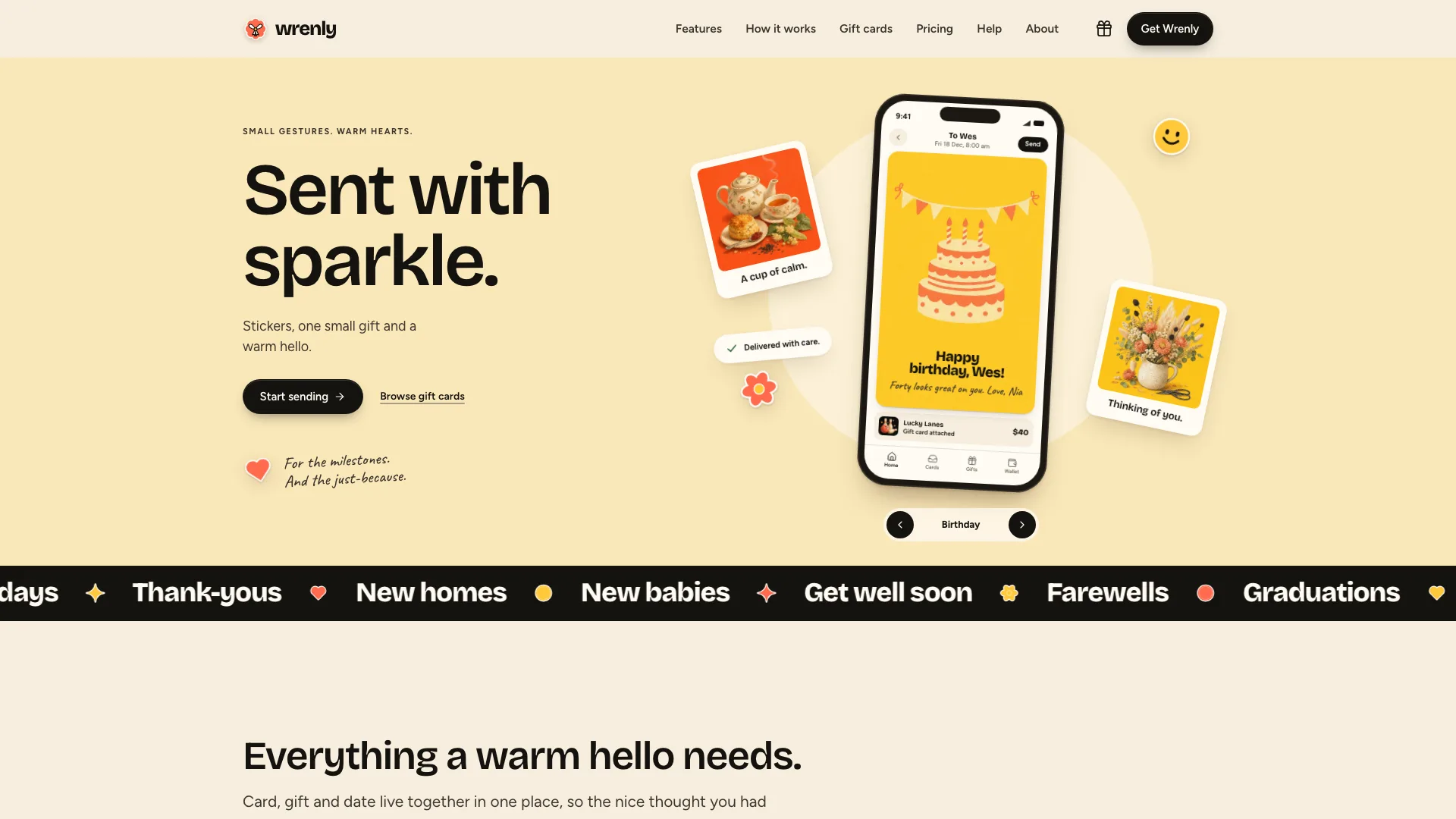
A Fable 5 landing page skill for card and gift apps: 19 cream pages in one file, with a tilted phone hero, a card editor visitors can use, a gift shop with basket, pricing and help.
Launch films and motion pieces, rendered as MP4.
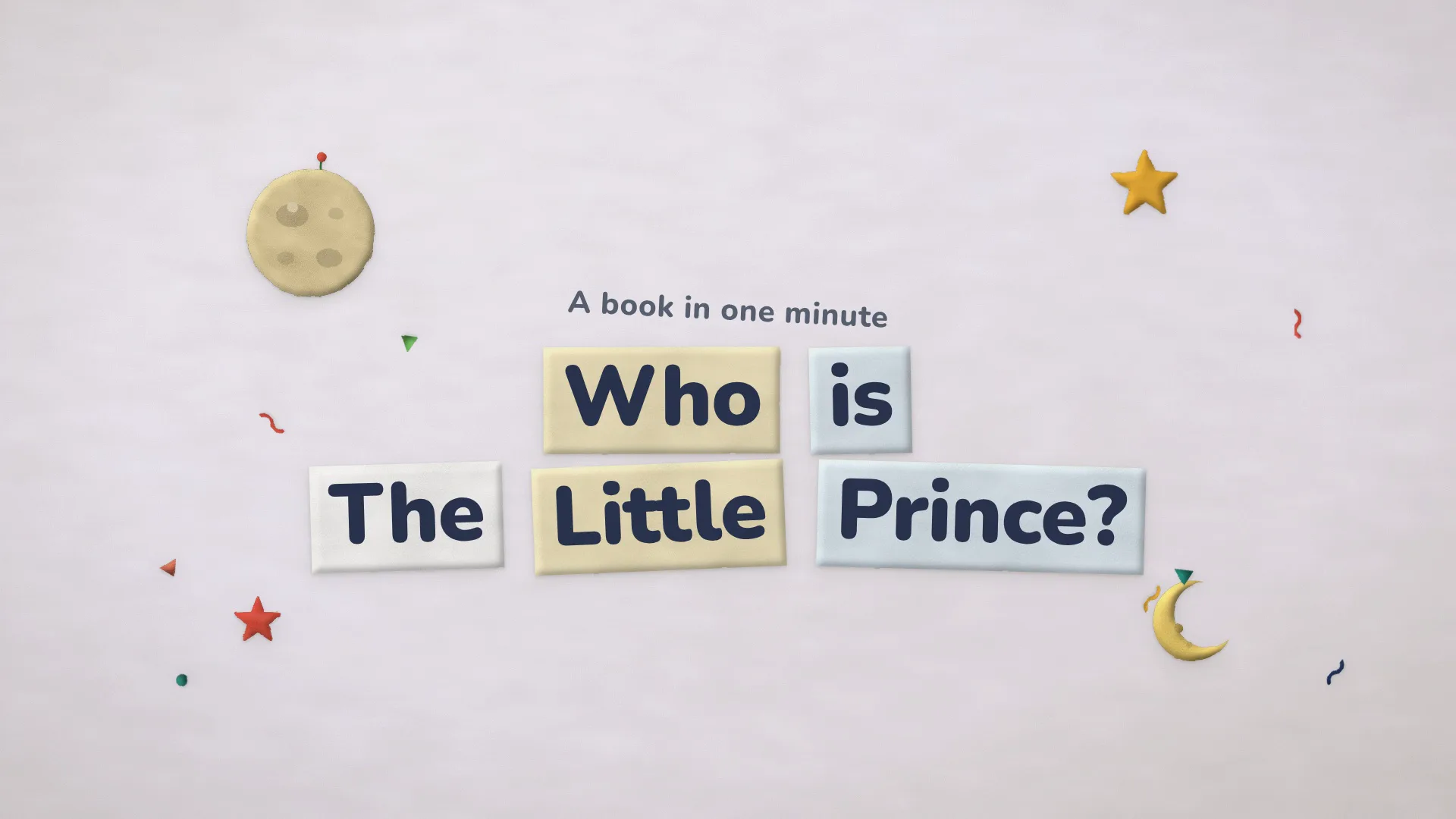
A storybook video skill for Claude Fable 5: any topic, lesson or brand story retold in felt-and-clay paper pieces, on paper hills under a paper sun, with props hopping in.
An agent launch video skill for Fable 5 users: in 6.8 light seconds one job runs on a laptop, shows up on a phone and links out to a terminal, team chat and review card.
A product video skill for Fable 5 that demos six modes: an 11.5-second light scene where a field of dots changes with each setting, ending on your closing line.
An explainer clip skill for Claude Fable 5: seven light seconds in which a record of personal details is scanned, crumbles into dust and gives way to your result.
Infographics, visual notes, portraits and illustrations, each kept in one set style.
One subject argued in layers: a research collage skill for Claude Fable 5 that sets a grounded photo beside an isometric rebuild, with sketches, map scraps and swatches around them.
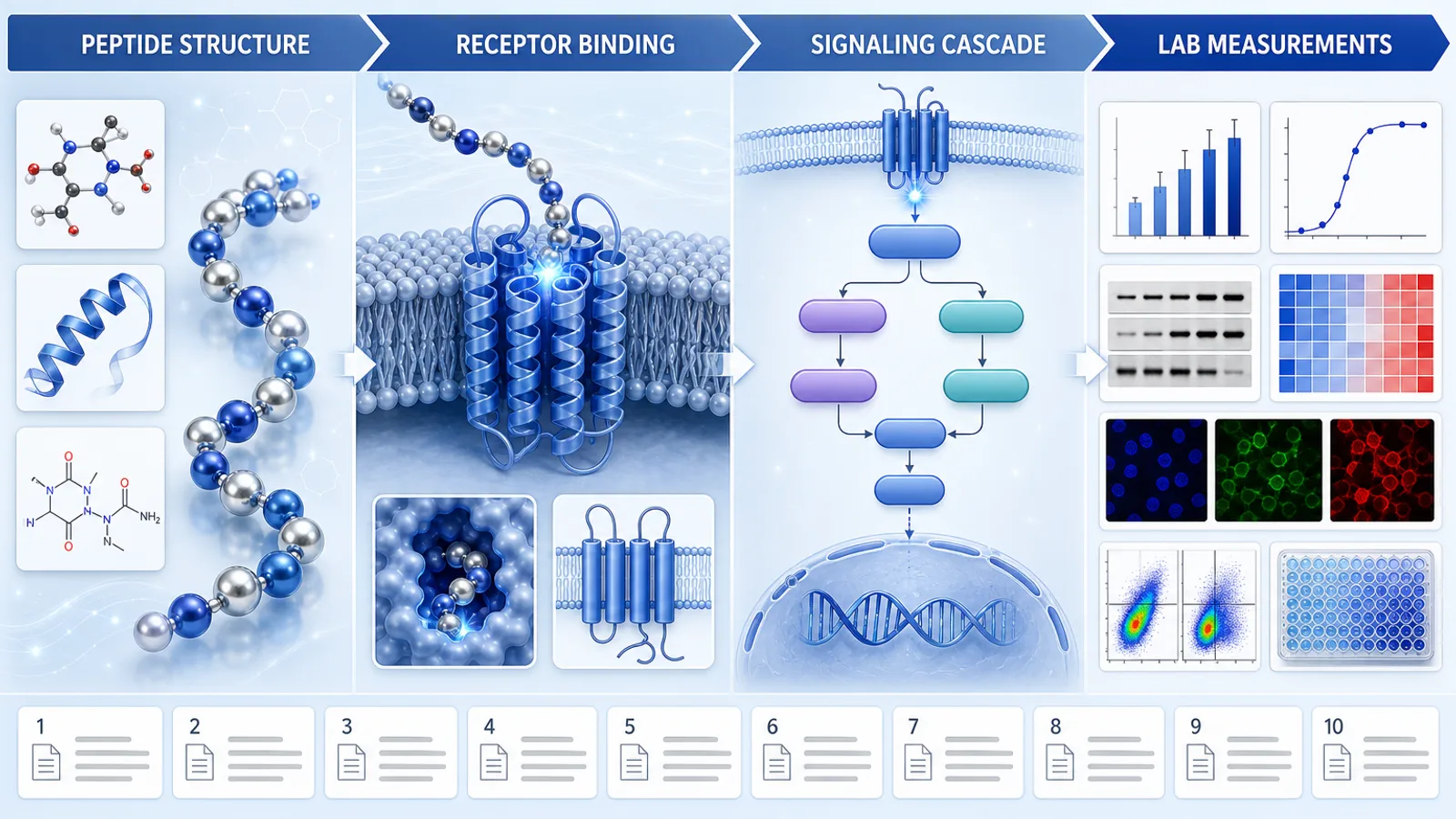
Need a mechanism figure for a talk? This poster skill for Claude Fable 5 lays out a cited ingredient pathway in four zones, with each step's evidence status kept in view.
A calm, technical link preview: a white wireframe mesh bends into a blue-to-mint tunnel that opens around a glowing disc holding a small geometric mark.
Explain what each layer of a panel, membrane or textile does: a studio cutaway skill for Claude Fable 5 that fans out your checked stack in order, with one empty callout rail per layer.
WorkBuddy skills follow the open SKILL.md format. Add one from the built-in skill market or from Tencent SkillHub, or go to Skills › Add skill › Upload skill and choose a Skill ZIP. Inside a project, WorkBuddy also loads Skills from .codebuddy/skills/.
WorkBuddy takes care of the task. A Skill decides how the result looks.

Weekly reports and plans as designed slides you can edit.

A one-page site to share, made from a short brief.

Matching visuals for articles and internal posts.
WorkBuddy adds Skills from its own Skills page, so you never open a terminal.
Add the Skill on WorkBuddy's own Skills page, with no terminal involved.
Each Skill page has a Download ZIP button, and that ZIP is the file you upload.
There is no one-command install for WorkBuddy yet. Use the ZIP in the meantime.
Skill not showing up? How to install a Skill · Fix a Skill that won’t load
Each does a different job, and most people keep both.
That depends on what you want WorkBuddy to make. Ranked by installs, the top picks are Editorial Team Deck for slides, Pharmacy Storefront for websites, Cut-Paper Storybook Video for launch videos, and Isometric Field Study Collage for images.
Yes. A WorkBuddy skill is a folder with a SKILL.md file, the same open format Claude and OpenClaw use. Install one from the skill market, from Tencent SkillHub or from a ZIP.
SkillHub is Tencent Cloud's skills platform, opened in March 2026, with search in Chinese and downloads served from inside China. It can install skills directly into WorkBuddy.
Tencent is moving QClaw users over to WorkBuddy before QClaw shuts on December 24, 2026. WorkBuddy reads the same SKILL.md format, so the same Skill ZIPs upload fine.
Yes. Claude Code Skills are SKILL.md folders, and WorkBuddy reads that same format. Zip the folder and upload it under Skills › Add skill › Upload skill.
Every category has free Skills. The others cost $4.99 each or come with a Frontier Brief plan, and free and paid Skills install and run the same way.
The same Skills install in every agent below. Open yours for its folder and install steps.
Coding agents
Claude CodeSkills CodexSkills
 CursorSkills
 GitHub CopilotSkills
 Gemini CLISkills
 OpenCodeSkills
 AntigravitySkills
 OpenClawSkills
 Hermes AgentSkills
 KiroSkills
 WindsurfSkills
 ClineSkills
 ZedSkills
 AmpSkills
 Kilo CodeSkills
 GooseSkills
 JunieSkills
 OpenHandsSkills
 Grok BuildSkills
 Mistral VibeSkills
 Kimi CodeSkills
 TraeSkills
 QoderSkills
 CodeBuddySkills
 ZCodeSkills
 Qwen CodeSkills
 MiniMax CodeSkills