
The short answer
- 1Agent open in front of you? Click Copy install prompt. Living in a terminal? Run the CLI. Holding a folder from GitHub? Copy it across.
- 2Only Claude Code needs
--agent claude-code. Codex and Cursor read the default folder,~/.agents/skills/. - 3It is finished once
SKILL.mdsits at the top of the Skill's own folder and your agent shows it in its list.
Which way should you install?
Let your situation decide. Every route ends identically, with the folder in a place your agent searches.
Your agent is already running
Press the Copy install prompt button and paste what it copies into the agent
You prefer the terminal
The Frontier Brief CLI (Windows or macOS, with Node.js 22 or newer)
You use Linux, or want to inspect the files
Click Download ZIP, then move the folder into place yourself
The Skill lives on GitHub
Clone the repository or download it, then move the folder into place yourself
Which folder does each agent read?
Every agent loads Skills from a folder of its own, and the CLI chooses the right one for you. Codex and Cursor share ~/.agents/skills/, so a single install serves them both.
| Agent | Lands in | The Frontier Brief CLI flag |
|---|---|---|
| Claude Code | ~/.claude/skills/<slug>/ | --agent claude-code |
| Codex | ~/.agents/skills/<slug>/ | None, the default |
| Cursor | ~/.agents/skills/<slug>/ | None, the default |
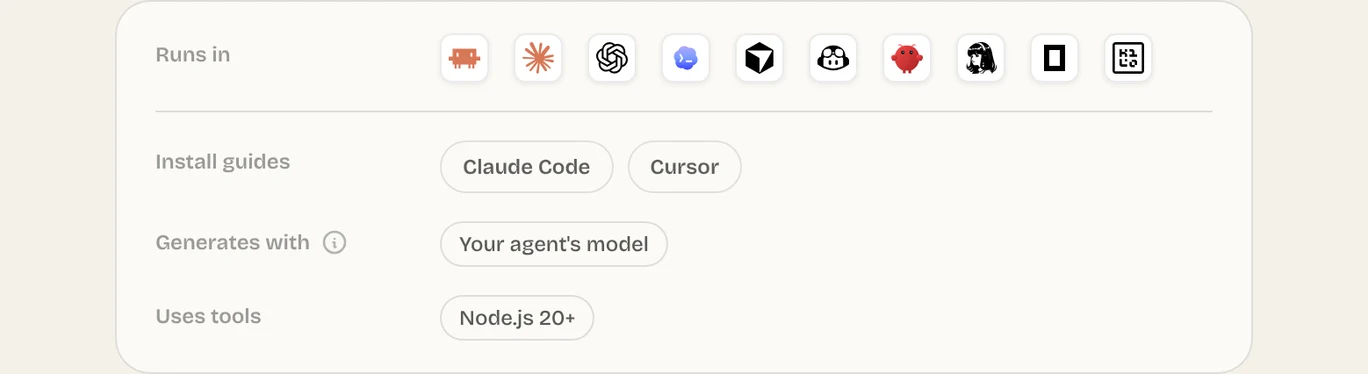
Adding a Skill to Claude Code, Codex or Cursor
Pick the tab for your chosen route. The prompt and the CLI both tell you the version and the folder at the end; after a manual copy, you look at the folder yourself.
- 1
On the Skill page, click Copy install prompt, then Copy inside the dialog.
- 2
Paste it into your agent. It fetches The Frontier Brief install instructions and runs the matching command on its own.
Install prompt Read https://fable5.app/skills/<slug>/install.md and follow the instructions to install the skill. - 3
If a sign-in page opens, check the code in your browser and approve it.
- 1
Sign in one time. Your browser opens a page where you confirm the code the terminal shows.
Terminal npx --yes fable5-cli@latest login - 2
Install the Skill. Add
--agent claude-codewhen the target is Claude Code.Terminal npx --yes fable5-cli@latest install <slug> - 3
Installing again later? Pass
--force. Otherwise the CLI halts rather than replace what is there; with it, your current copy is moved to a backup first.
The Frontier Brief will never ask you for an API key. The CLI keeps your sign-in in the Windows Credential Manager or the macOS Keychain.
Move the entire folder, not SKILL.md alone. Its instructions usually refer to other files stored beside it.
mkdir -p ~/.claude/skills
mv ~/Downloads/my-skill ~/.claude/skills/A single level down
~/.claude/skills/my-skill/SKILL.md
The ZIP added a level
~/.claude/skills/my-skill/my-skill/SKILL.md- or a bare
SKILL.mddropped straight intoskills/
Can you install a Skill for one project only?
Yes: aim --target at that project's Skills folder. There is no dedicated project option, but --target takes any folder, so run the command from the root of the repository:
npx --yes fable5-cli@latest install <slug> --target .claude/skillsCommit the folder, and anyone who clones the repository gets that Skill too.
How do you confirm the install?
Spend half a minute checking now, while nothing depends on the Skill yet.
- 1Open the Skill's folder and confirm
SKILL.mdis at its top level, not inside another folder. - 2Show your Skills:
/skillsin Claude Code or Codex, Customize → Skills in Cursor. - 3Call it once by its name.
Missing from the list? Troubleshooting goes through each possible reason.
Common questions
How does the npx install work?
Type npx --yes fable5-cli@latest install <slug>, adding --agent claude-code if you use Claude Code. It handles sign-in in your browser and then prints the folder the Skill went into.
Can I install Claude Skills straight from GitHub?
Yes. Get the repository (clone it or download it) and put the Skill's folder, SKILL.md at its top, into ~/.claude/skills/, or into .claude/skills/ inside your project.
Do Skills work on a free Claude plan?
In Cursor, Codex and Claude Code, a Skill is simply a folder you put in place yourself. Whether the claude.ai app lets you use Skills is a separate question, answered by which Claude plan you have and how it is set up.
Sources
Did this guide help?
