
Warp Liftoff
An 11-second dark launch teaser: a spiral galaxy collapses into a star, the camera warps through rings, and a rocket lifts off before your headline.
Kimi Code CLI reads the shared ~/.agents/skills/ as well as its own ~/.kimi-code/skills/, so one folder can serve several tools. 104 ready-made Skills for video, images, web pages and slides.
Checkout is not open yet: it opens once our payment provider finishes its review, and downloads open with it. Nothing is charged until then.
~/.kimi-code/skills/
└── ours-warp-liftoff/
    ├── SKILL.md
└── …From Kimi Code docs: Agent Skills (opens in a new tab) and Kimi Code docs: Slash commands (opens in a new tab), read 2026-11-05.
Each one is a plain SKILL.md folder, the format Kimi Code reads. Skills that make images or video call FAL with your own key, so your agent needs to be allowed to run terminal commands.
An 11-second dark launch teaser: a spiral galaxy collapses into a star, the camera warps through rings, and a rocket lifts off before your headline.
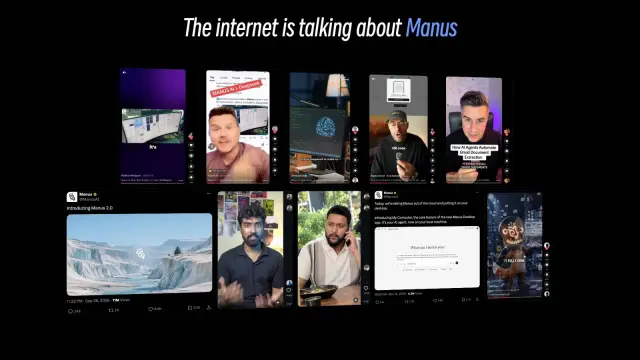
A 5.5-second 3D wall of real creator posts about your product: your agent finds or takes the posts, records each one while it plays, and lines them up under one headline.
$4.99 or with Premium

Makes three original, matching illustrations for three distinct moments in one approved article. It returns three 16:9 visual directions with clear evidence, rights, and review limits.
$4.99 or with Premium

Calm white share cards with a small centered logo and wide see-through waves in orange, coral, magenta and violet. GPT Image 2 via FAL.
$4.99 or with Premium
A one-file footwear store with 27 routes: sage campaign hero, popular tabs, filters, a page per pair with width and size choice, size finder, bag and demo checkout.
$4.99 or with Premium
A one-file site for a tennis, padel or any club that sells sessions, with 24 routes: a rounded sky-and-court hero, a live quick-booking bar, timetable, plan finder, court map and booking.
$4.99 or with Premium
A ten-page marketing or launch plan on near-black pages with large serif headlines and cobalt crescent art: goals, audience, phases, budget and targets.
A nine-page brand strategy on deep ink pages with cream headlines, dark tiles lit one at a time and clay 3D still lifes: promise, audience, voice and roadmap.
Get the Skill’s ZIP from its card once downloads open, then:
Kimi Code’s docs put it this way: a Skill keeps the instructions in a file you can reuse across projects and teams, load with a slash command, and let the model call when needed, instead of pasting the same text into every prompt.
User Skills go in ~/.kimi-code/skills/ (or $KIMI_CODE_HOME/skills/) or ~/.agents/skills/. Project Skills go in .kimi-code/skills/ or .agents/skills/ at the project root, the nearest folder containing .git. Source (opens in a new tab)
Type /skill: and its name, for example /skill:code-style; text after the name goes to the Skill. /<name> also works when no built-in or plugin command has that name. The model can also call a Skill on its own from its description. Source (opens in a new tab)
Start a new session. Check that the file is named SKILL.md inside the Skill’s own folder and that its frontmatter has both name and description. Source (opens in a new tab)
Kimi Code ships a built-in /import-from-cc-codex command that imports Claude Code and Codex instructions, Skills and MCP settings. It also reads ~/.agents/skills/, a folder meant to be shared across tools. Source (opens in a new tab)
~/.claude/skills/~/.agents/skills/~/.cursor/skills/~/.agents/skills/~/.config/opencode/skills/~/.copilot/skills/~/.gemini/config/skills/~/.openclaw/skills/~/.trae/skills/$9.99 / month · $79 / year · $169 once, or $4.99 for one Skill.
See pricing