
The short answer
- 1Ask for it by name with
/skill-nameor$skill-name. If it starts, the install is fine. - 2Nothing found? Look at the folder:
SKILL.mdmust sit right inside<skills folder>/<name>/. - 3Still not working? Pick the symptom you see from the list below.
Pin down the problem in half a minute
Find the line that fits, then follow its link.
Asking for it by name does nothing
Your agent isn't looking there. See Skill missing.
It works by name, never from a normal request
Look at the description or settings. See Never starts by itself.
Some other Skill runs
Two descriptions overlap. See Another Skill runs.
It begins and then stops
A tool or key it needs is missing. See Breaks halfway.
You still get the previous version
A second copy exists, or the session is stale. See Previous version.
Skill missing from the list in Claude Code, Codex or Cursor
A Skill missing from /skills or Customize → Skills was never loaded. Usually its folder sits somewhere the agent doesn't look, or one level too deep.
| Probable cause | What to do |
|---|---|
You installed for Claude Code with The Frontier Brief CLI but skipped --agent claude-code | Install again and include the flag; otherwise the files go to ~/.agents/skills/ |
| Unzipping created one folder too many | Lift the inner folder up a level. Claude Code expects exactly skills/<name>/SKILL.md |
A typo in the frontmatter (the part fenced by ---) | Correct it. Codex and Cursor require name and description; Cursor also wants name to equal the folder name |
| The agent has not noticed the new folder yet | Claude Code: run /reload-skills. Codex: restart it inside the repository. Cursor: reload the window or open a fresh chat |
Typing $ in Codex inside the ChatGPT desktop app lists nothing | A filed bug (openai/codex#28505). Look in /skills first, then restart the app, or put a copy under ~/.codex/skills/ (untested by us) |
Every folder each agent reads is listed in Skill locations.
Skill is listed but never starts by itself
An agent chooses a Skill from its description. If yours runs only when named, its wording is off from the way you ask, or a setting is blocking it.
- Try the sample prompt on the Skill's page; it was written to match the description.
- Look at
paths. When set, the Skill starts on its own only for matching files. - Lots of Skills installed? Some descriptions get cut short or left out so the rest fit, so open with the main use. More in Triggering.
Another Skill runs in its place
Two Skills that describe the same work compete, and the agent picks whichever description sits nearer your words. Usually that's two Skills for similar jobs, or one Skill installed twice.
| What is happening | What to do |
|---|---|
| A similar Skill wins every time | Name the one you want. Codex uses $skill-name; Claude Code and Cursor use /skill-name. A Skill called by name always runs. |
| Two of your own Skills cover the same ground | Rewrite the descriptions so each names its own input, reader or output and covers one job only. More in Triggering. |
| One name is installed twice | Claude Code ranks Enterprise above personal, and personal above project. Codex may list both copies. Keep only one. |
| A Skill keeps starting when nobody asked for it | Make its description more precise about when it applies, then name the Skill you want. More in Triggering. |
It begins, then breaks halfway through
Nearly always, something it depends on is missing: too old a Node.js, a missing Python or FFmpeg, or a FAL key that was never set. Each Skill page lists its requirements, so start there:
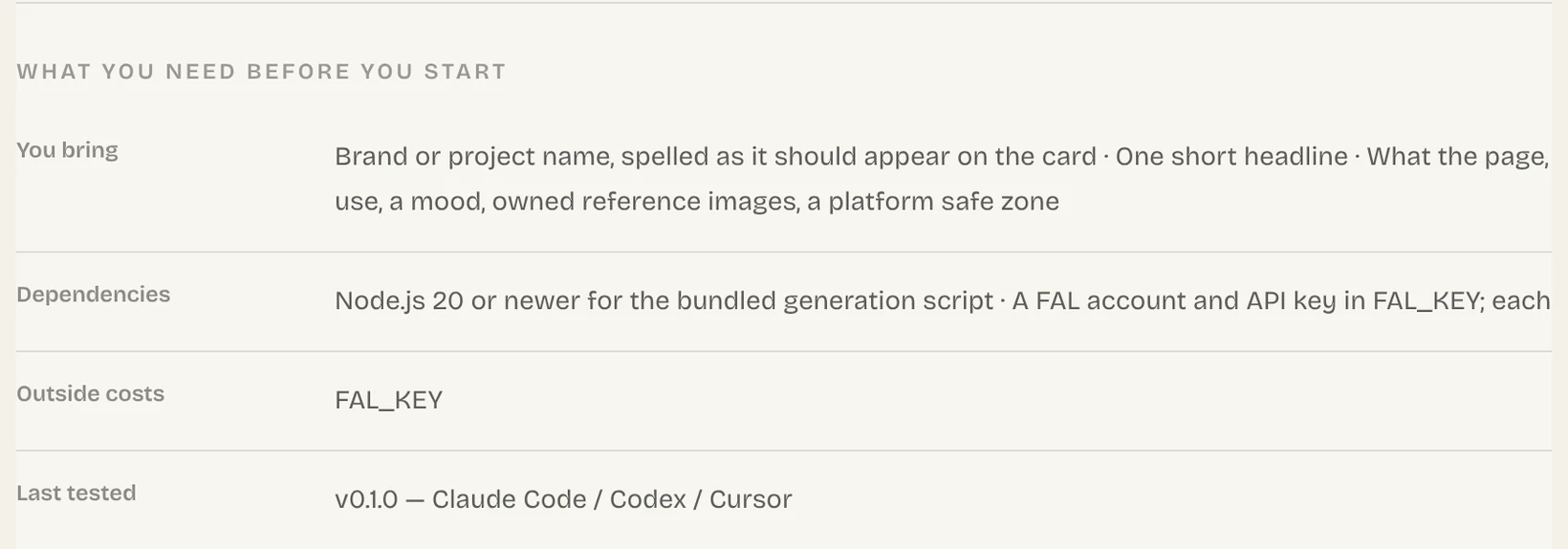
It still runs the previous version
You updated, yet the agent behaves as before. One of these is why:
- Only
SKILL.mdgot swapped. Reinstall using--force, or swap in the complete folder. - A copy with the same name lives in another folder. Delete it.
- Claude Code freezes a Skill once it has run in a conversation. Open a fresh conversation to pick up your edits.
Backups and rollbacks are covered in Manage and update.
Fine on your computer, missing in the cloud
A cloud session runs on another machine, so a Skill kept only on yours is absent unless you set it up:
| Agent | What to do |
|---|---|
| Claude Code | For a cloud session, enable it at claude.ai or check it in under .claude/skills/. For Cowork, enable it at claude.ai. |
| Codex | A standalone Skill doesn't reach ChatGPT on web or mobile. Package it in a plugin. |
| Cursor | Store it in ~/.cursor/skills/, then turn on Sync Skills for Cloud Agents (Settings → Agents → Context and Tools). |
The Frontier Brief CLI error messages
Find what the CLI printed, then do what the second column says.
| The CLI says | What to do |
|---|---|
| “You are not signed in.” or “Your sign-in has expired or was revoked.” | Sign in again with npx --yes fable5-cli@latest login |
| “… already exists.” | Add --force. Your current copy is moved to a backup first |
| “… is a paid Skill and your account does not own it.” or “… is for members only.” | Check the price on the Skill's page or your plan |
| “Use --agent or --target, not both.” | Keep just one of the two flags |
| “… runs on macOS and Windows only.” | Linux can't store the sign-in; get the Skill through Download ZIP or the install prompt |
Common questions
Why won't Claude Code load my Skill?
Most of the time it landed in ~/.agents/skills/ when it should be in ~/.claude/skills/, or an extra folder level got in the way. Correct the path; for a brand-new folder, also run /reload-skills.
Why is my Skill asking me for an API key?
It calls a paid service, named in the Outside costs row of the Skill page. Set the key by that service's own steps, and keep it out of the chat.
How can I tell the install worked?
The Skill is listed in /skills (or Customize → Skills, in Cursor) and starts when you ask for it by name.
Sources
Did this guide help?