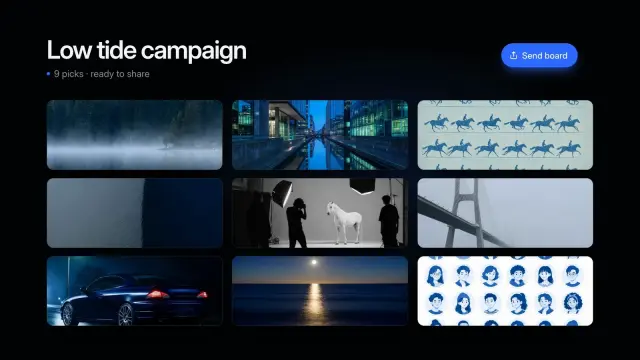
Mood Grid Snap
An 8.6-second dark montage: three quick spreads of photos with a headline each, then all nine snap into one tidy board with a send button.
Cursor reads its own folders and the Claude and Codex ones, so a Skill you already use elsewhere shows up here too. 104 ready-made Skills for video, images, web pages and slides.
Checkout is not open yet: it opens once our payment provider finishes its review, and downloads open with it. Nothing is charged until then.
~/.cursor/skills/
└── ours-mood-grid-snap/
    ├── SKILL.md
└── …From Cursor docs: Agent Skills (opens in a new tab), read 2026-11-04.
Each one is a plain SKILL.md folder, the format Cursor reads. Skills that make images or video call FAL with your own key, so your agent needs to be allowed to run terminal commands.
An 8.6-second dark montage: three quick spreads of photos with a headline each, then all nine snap into one tidy board with a send button.
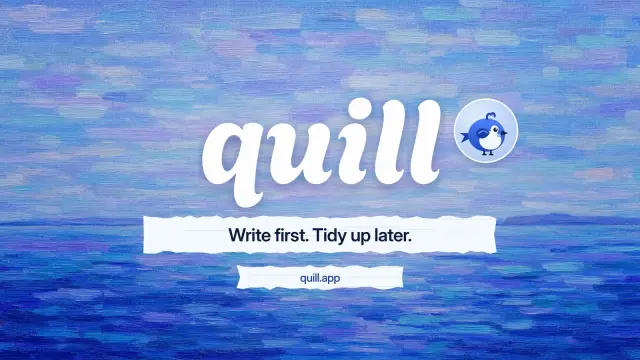
An 8.6-second end card: a paint stroke wipes the last shot away, your name is painted on over a blue sky, and your tagline and link arrive on paper strips.
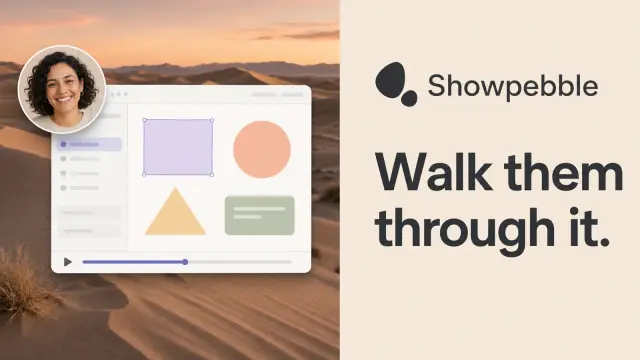
Split share cards: a warm text panel with a big headline beside a scenic photo, a floating app window and a round presenter bubble. GPT Image 2 via FAL.

Share cards with a dark side column and a white analytics board floating on a violet or teal-to-coral gradient, made by GPT Image 2 through FAL.
A one-file brand site and shop for a small drinks maker, 34 routes: photo fan hero, recipes that rescale, stockist map, subscriptions, bag and demo checkout.
A 21-route marker-drawn site for a one-person packaging studio: a cut-out portrait in a cobalt blob, a tilted client ribbon, four solid-colour services, case studies, an estimator and a form.
A nine-page startup pitch with violet glass artwork, rounded picture windows and lilac pages: problem, product, pilot proof, pricing, roadmap and team.
A ten-page workshop or community-project deck with huge mint capital headlines, black marker drawings of people at work and warm paper pages.
Get the Skill’s ZIP from its card once downloads open, then:
Discovered Skills appear next to rules in Customize, in the Agent Decides section. A Skill loads its resources only when Agent decides it is relevant; set disable-model-invocation: true and it waits for you to type /skill-name, like a slash command.
Project Skills go in .cursor/skills/ or .agents/skills/. Personal Skills go in ~/.cursor/skills/ or ~/.agents/skills/. Cursor also loads Skills from the Claude and Codex folders. Source (opens in a new tab)
Cursor’s docs say it loads .claude/skills/ and ~/.claude/skills/ for compatibility, so Skills already in those folders show up in Cursor too. Source (opens in a new tab)
Only ~/.cursor/skills/ syncs, and only after you turn on Sync Skills for Cloud Agents in Settings → Agents. Automations don’t load synced Skills; put those in the repository’s .cursor/skills/. Source (opens in a new tab)
Typing / attaches a Skill to one message. To keep it on for the session, use it as a Custom Mode. Source (opens in a new tab)
~/.claude/skills/~/.agents/skills/~/.agents/skills/~/.config/opencode/skills/~/.copilot/skills/~/.gemini/config/skills/~/.openclaw/skills/~/.kimi-code/skills/~/.trae/skills/$9.99 / month · $79 / year · $169 once, or $4.99 for one Skill.
See pricing