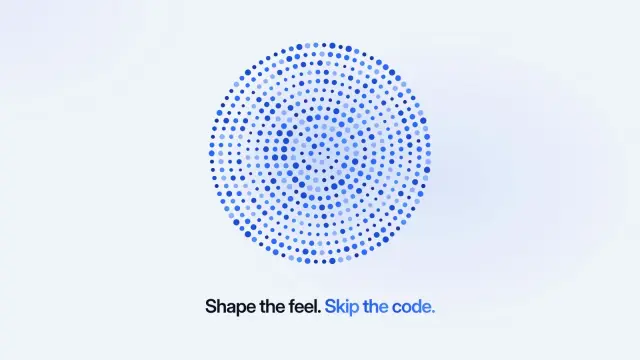
Dot Field Modes
An 11.5-second light demo: a selector steps through six named modes while a field of dots reacts to each one, then your closing line lands.
Copilot reads .github/skills/ in a repository and ~/.copilot/skills/ on your machine, plus the shared and Claude folders. 104 ready-made Skills for video, images, web pages and slides.
Checkout is not open yet: it opens once our payment provider finishes its review, and downloads open with it. Nothing is charged until then.
~/.copilot/skills/
└── ours-dot-field-modes/
    ├── SKILL.md
└── …From GitHub Docs: Adding agent skills for Copilot CLI (opens in a new tab) and GitHub Docs: Agent skills (opens in a new tab), read 2026-11-04.
Each one is a plain SKILL.md folder, the format GitHub Copilot reads. Skills that make images or video call FAL with your own key, so your agent needs to be allowed to run terminal commands.
An 11.5-second light demo: a selector steps through six named modes while a field of dots reacts to each one, then your closing line lands.
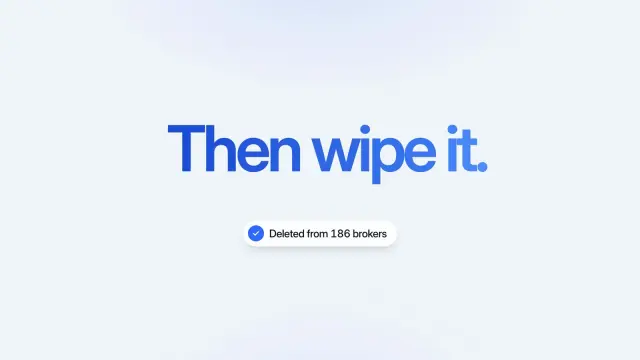
A 7-second light explainer: a record full of personal details is scanned, flagged, then crumbles to dust before your payoff and result appear.

Bright share cards with stacked black and white goods on the left and one giant black word cut off at the right edge. GPT Image 2 via FAL.
$4.99 or with Premium

Bright share cards with tiny ink-drawn isometric land tiles of cabins, lakes and forests around open white space. GPT Image 2 via FAL.
$4.99 or with Premium
A printed-sheet portfolio for a poster or print designer, 14 pages: grey grid paper, a one-word display title beside a cut-out portrait, eight posters with live type, project pages and a brief form.
A one-file pet-supply store with 39 routes: live-count filters, a page per product, refill planner, bed chooser, wishlist, bag and demo checkout.
A nine-page team playbook on ice-blue and navy pages with soft background shapes: routines, handovers, phrases to use and quality checks.
A friendly ten-page company or studio profile in steel blue and white, with photos in curved frames, soft rounded cards and a few large figures.
Get the Skill’s ZIP from its card once downloads open, then:
GitHub recommends custom instructions for short rules that apply to almost every task, such as coding standards, and Skills for detailed instructions Copilot should read only when they are relevant.
Project Skills go in .github/skills/, .claude/skills/ or .agents/skills/ in the repository. Personal Skills go in ~/.copilot/skills/ or ~/.agents/skills/ in your home folder. Source (opens in a new tab)
GitHub lists the Copilot app, Copilot CLI, Copilot cloud agent and code review on GitHub.com, and agent mode in VS Code, Visual Studio and JetBrains IDEs. IDE support depends on the version. Source (opens in a new tab)
No. Run /skills reload, then /skills info <skill> to confirm it loaded. Source (opens in a new tab)
GitHub CLI’s gh skill command searches for, installs and updates Skills from GitHub repositories. Our Skills come as a ZIP you unzip into a Skills folder. Source (opens in a new tab)
~/.claude/skills/~/.agents/skills/~/.cursor/skills/~/.agents/skills/~/.config/opencode/skills/~/.gemini/config/skills/~/.openclaw/skills/~/.kimi-code/skills/~/.trae/skills/$9.99 / month · $79 / year · $169 once, or $4.99 for one Skill.
See pricing