Podcast Outreach Agent
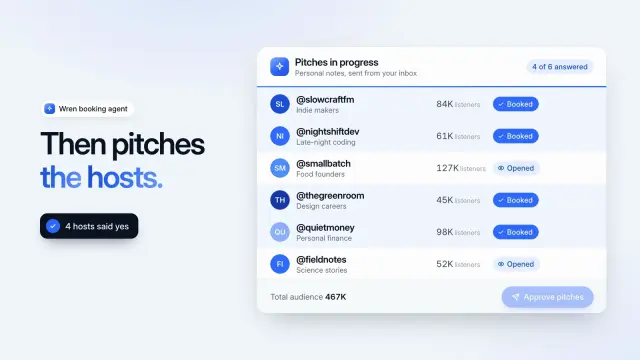
A 9.4-second light product demo: an agent shortlists six podcasts, you approve, and each pitch moves from sent to opened to booked.
Gemini CLI asks before it opens a Skill, so you see which folder it will read. 104 ready-made Skills for video, images, web pages and slides.
Checkout is not open yet: it opens once our payment provider finishes its review, and downloads open with it. Nothing is charged until then.
~/.agents/skills/
└── ours-podcast-outreach-agent/
    ├── SKILL.md
└── …From Gemini CLI docs: Agent Skills (opens in a new tab), read 2026-11-04.
Each one is a plain SKILL.md folder, the format Gemini CLI reads. Skills that make images or video call FAL with your own key, so your agent needs to be allowed to run terminal commands.
A 9.4-second light product demo: an agent shortlists six podcasts, you approve, and each pitch moves from sent to opened to booked.

An 11-second dark launch teaser: a spiral galaxy collapses into a star, the camera warps through rings, and a rocket lifts off before your headline.
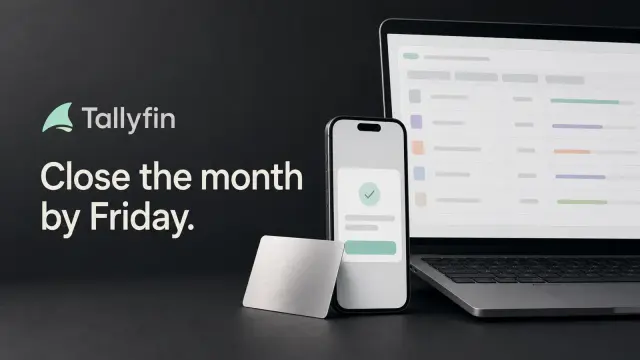
Share cards with a dark graphite backdrop and a laptop, phone and metal card stacked off the edge, with restrained mint accents. GPT Image 2 via FAL.
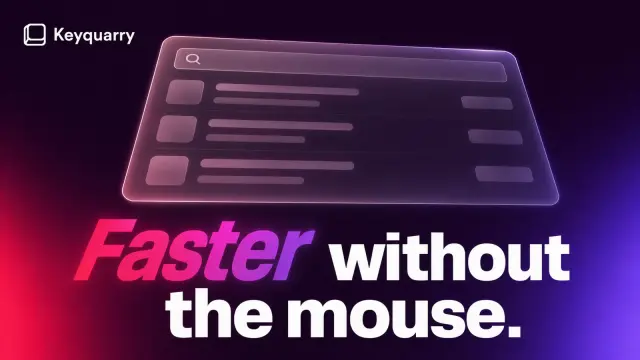
Share cards with a glowing plum haze, a frosted launcher window and a giant headline whose first word slants in a hot gradient. GPT Image 2 via FAL.
A white sheet in a lime frame for an independent designer, 19 pages: a portrait hero, a moving client strip, services with prices, six case studies with working mock-ups and a brief form.
A warm light one-file site for an issue tracker or developer tool, 12 views with a full dark theme: a live product window, working demos, pricing and every form.
A crisp ten-page company profile with slanted cobalt title ribbons, photos cut on angled edges and clean white pages of figures, steps, a chart and a table.
A ten-page marketing or launch plan on near-black pages with large serif headlines and cobalt crescent art: goals, audience, phases, budget and targets.
Get the Skill’s ZIP from its card once downloads open, then:
Extensions can bundle Skills of their own; Gemini CLI ranks those below your user and workspace Skills. A Skill on its own is one folder with SKILL.md, and only its name and description sit in context until Gemini activates it.
User Skills in ~/.gemini/skills/ or ~/.agents/skills/, workspace Skills in .gemini/skills/ or .agents/skills/, and Skills bundled in extensions. Source (opens in a new tab)
Activating a Skill adds its folder to the paths Gemini may read, so it shows the Skill’s name, purpose and folder and waits for your approval. Source (opens in a new tab)
Run /skills reload, then /skills list. If two Skills share a name, the higher tier wins: workspace over user over extension. Source (opens in a new tab)
Yes: gemini skills install <repo or folder>, with --scope user (the default) or workspace, and --path for a Skill inside a sub-folder of a repository. Source (opens in a new tab)
~/.claude/skills/~/.agents/skills/~/.cursor/skills/~/.config/opencode/skills/~/.copilot/skills/~/.gemini/config/skills/~/.openclaw/skills/~/.kimi-code/skills/~/.trae/skills/$9.99 / month · $79 / year · $169 once, or $4.99 for one Skill.
See pricing