
Watercolor Mechanism Diagram
Makes a slide-ready concept diagram with pale see-through color washes, fine linework, and empty callout zones. Technical teachers can show a complex mechanism plainly, with no made-up facts.
$4.99 or with Premium
Skills that turn checked facts into 16:9 explainer graphics: mechanisms, processes and comparisons drawn clearly, with exact labels added after generation. Bring the verified facts; the Skill plans the picture and keeps every label accurate.
Checkout is not open yet: it opens once our payment provider finishes its review, and downloads open with it. Nothing is charged until then.
9 Skills · 0 free
Makes a slide-ready concept diagram with pale see-through color washes, fine linework, and empty callout zones. Technical teachers can show a complex mechanism plainly, with no made-up facts.
$4.99 or with Premium
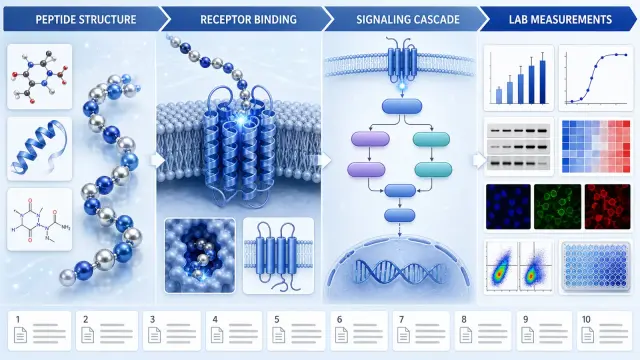
Builds a cited pathway poster that keeps ingredient context, proposed mechanism, measured endpoint and evidence status apart. It aids research talks without made-up molecular steps or benefits.
$4.99 or with Premium
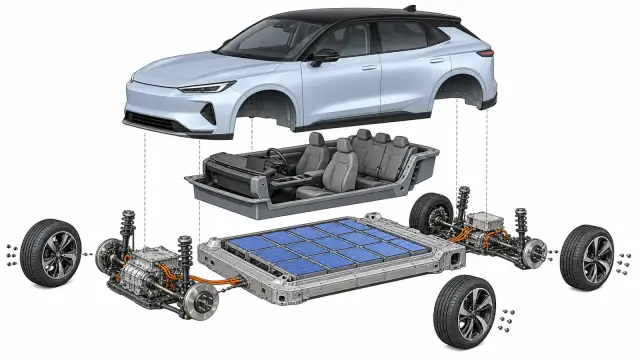
Draws a system-level exploded view of a made-up electric car from checked subsystem data. Researchers, teachers and writers can show how major systems fit, without implying service-grade accuracy.
$4.99 or with Premium
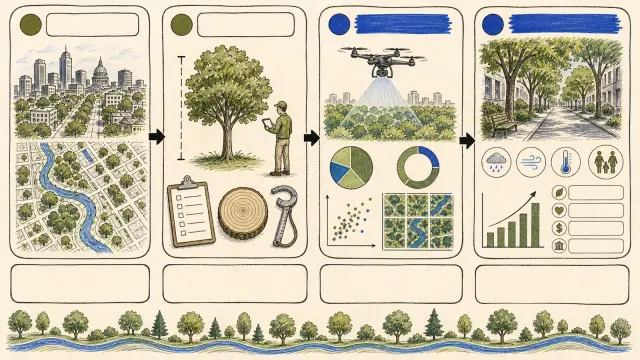
Makes a slide-ready infographic with loose marker strokes, tidy evidence panels, and a clear reading path through comparisons, timelines, or data. Teachers get dense material that stays checkable.
$4.99 or with Premium
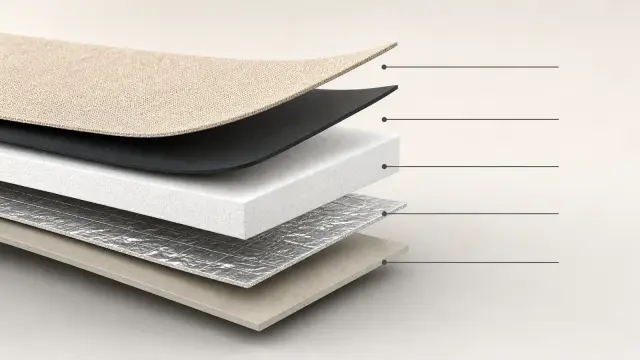
Draws a clean material cutaway from a checked layer order, interface notes, and thickness guidance. Buyers can explain what each layer is and does without made-up hidden layers or performance claims.
$4.99 or with Premium
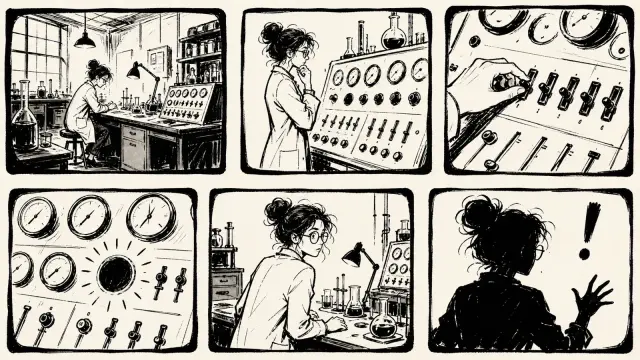
Makes a spare black-and-white storyboard with rough open strokes, uneven panels, and wide empty ground. It turns a short story into a lively sequence with no gradients, slick vector shapes, or color.
$4.99 or with Premium

Makes a sourced map of regional flavors with quiet geography, matching profile charts, legends and uncertainty notes. Teachers and analysts can show regional patterns without treating taste as fact.
$4.99 or with Premium

Draws an evidence-bound skin-layer mechanism figure with anatomy, pathway zones, citations and room for claim status. It aids teaching and review, never diagnosis, treatment advice or proof it works.
$4.99 or with Premium
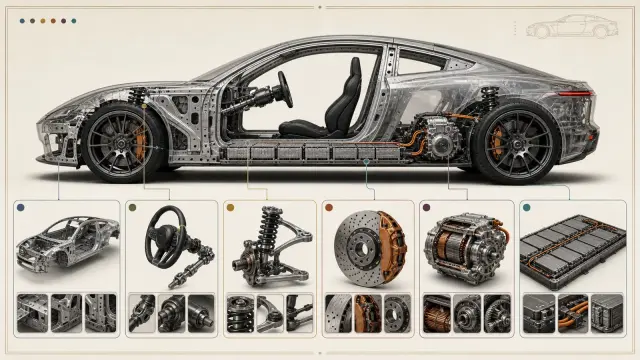
Draws a classroom poster of a made-up car in see-through cutaway, with tidy detail windows for each system. Teachers can explain what the parts do without it reading as a repair or safety manual.
$4.99 or with Premium
Each Skill here does one job from start to finish: it reads your material, builds the result and checks it.
Every role page gathers the Skills that people in that job reach for most.
Three steps in Claude Code, Codex, Cursor or similar, with no design tools involved.
The folder to unzip into, from each agent’s own docs.
~/.claude/skills/~/.agents/skills/~/.cursor/skills/~/.agents/skills/~/.config/opencode/skills/~/.copilot/skills/~/.gemini/config/skills/~/.openclaw/skills/~/.kimi-code/skills/~/.trae/skills/You can ask any agent for this. The difference is what comes back.
| Aspect | A plain prompt | A Skill |
|---|---|---|
| Starting point | A blank page | A finished, tested design |
| Steps | Improvised each time | Written down and followed in order |
| Checks | You find the problems yourself | Runs its own checks before handing over |
| Result | A draft that needs another pass | Files you can edit and ship |
What to have ready so the first run is the one you keep.
Any agent that reads SKILL.md folders, including Claude Code, Codex and Cursor. Only the folder you unzip into changes; each agent page shows it.
Most runs finish within a few minutes. Skills that render video or generate images take longer, and the page says what they need.
Yes. Everything comes back as editable files, and you can ask the agent for changes in the same conversation.
No. Free Skills are complete. Premium Skills come one at a time or with a plan.
Pick a Skill, unzip one folder and ask for the result in plain words. $9.99 / month · $79 / year · $169 once, or $4.99 for one Skill.
See pricing