Flight Booking Landingv0.1.1
Use this Skill to build a product website.
- Yours to keep: the files stay on your computer.
- Payment by Waffo Pancake, our merchant of record.
- 38 free Skills to try first
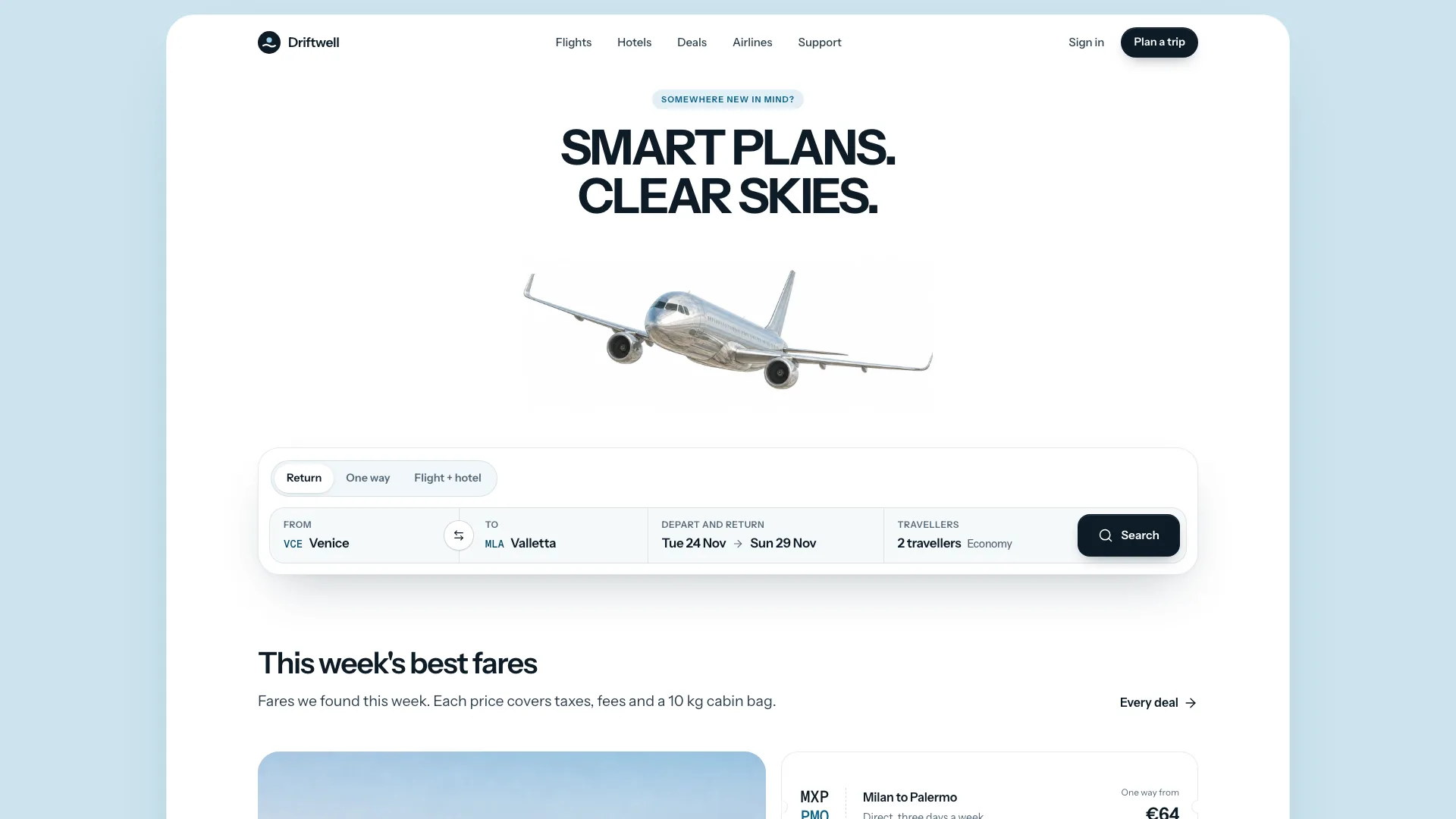
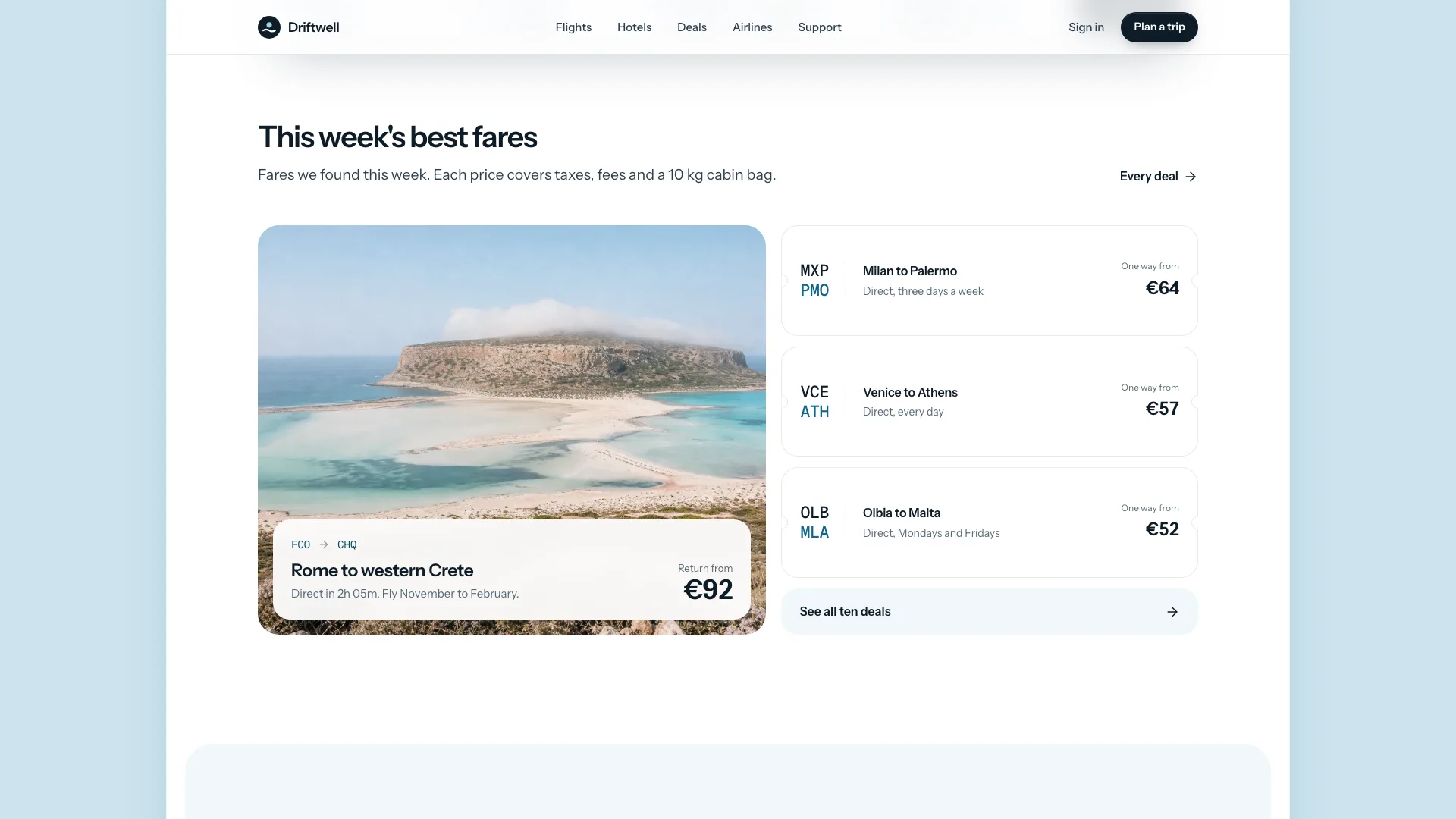
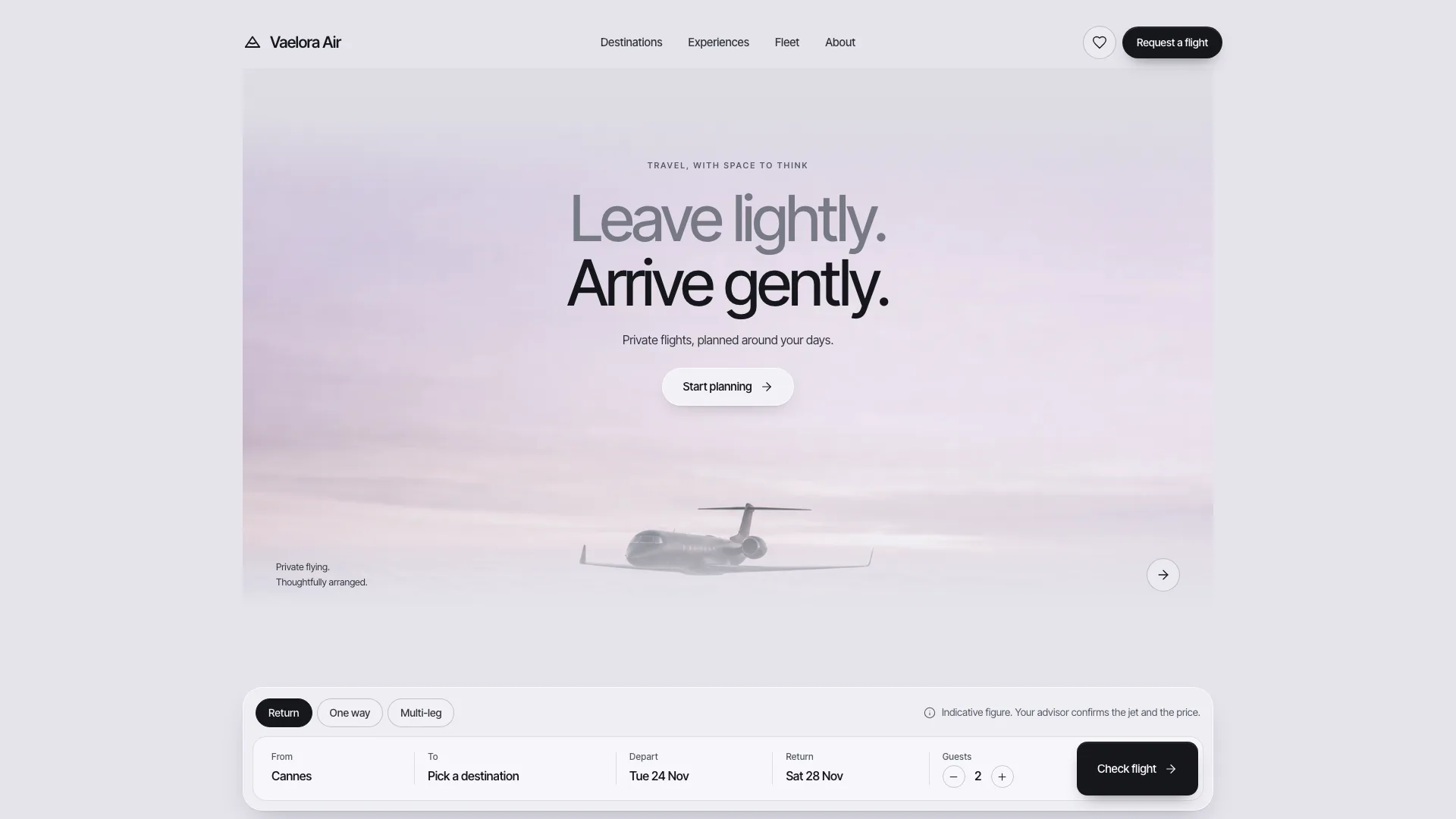
A web design skill for Claude Fable 5 for flight and hotel booking: a silver jet above a two-line headline, a working search card, hotel cards and fare stubs on 20 pages.
Picked most often by
Updated Nov 7, 2026
Preview gallery


Similar Skills
View all
What you get
- A single offline HTML site: a sky-blue border round a white shell, a silver jet over a search box that handles return, one-way and package trips, then fare stubs, tabs by departure time, a carousel of hotels, a bento of booking pieces, quotes, questions and a hand-drawn route
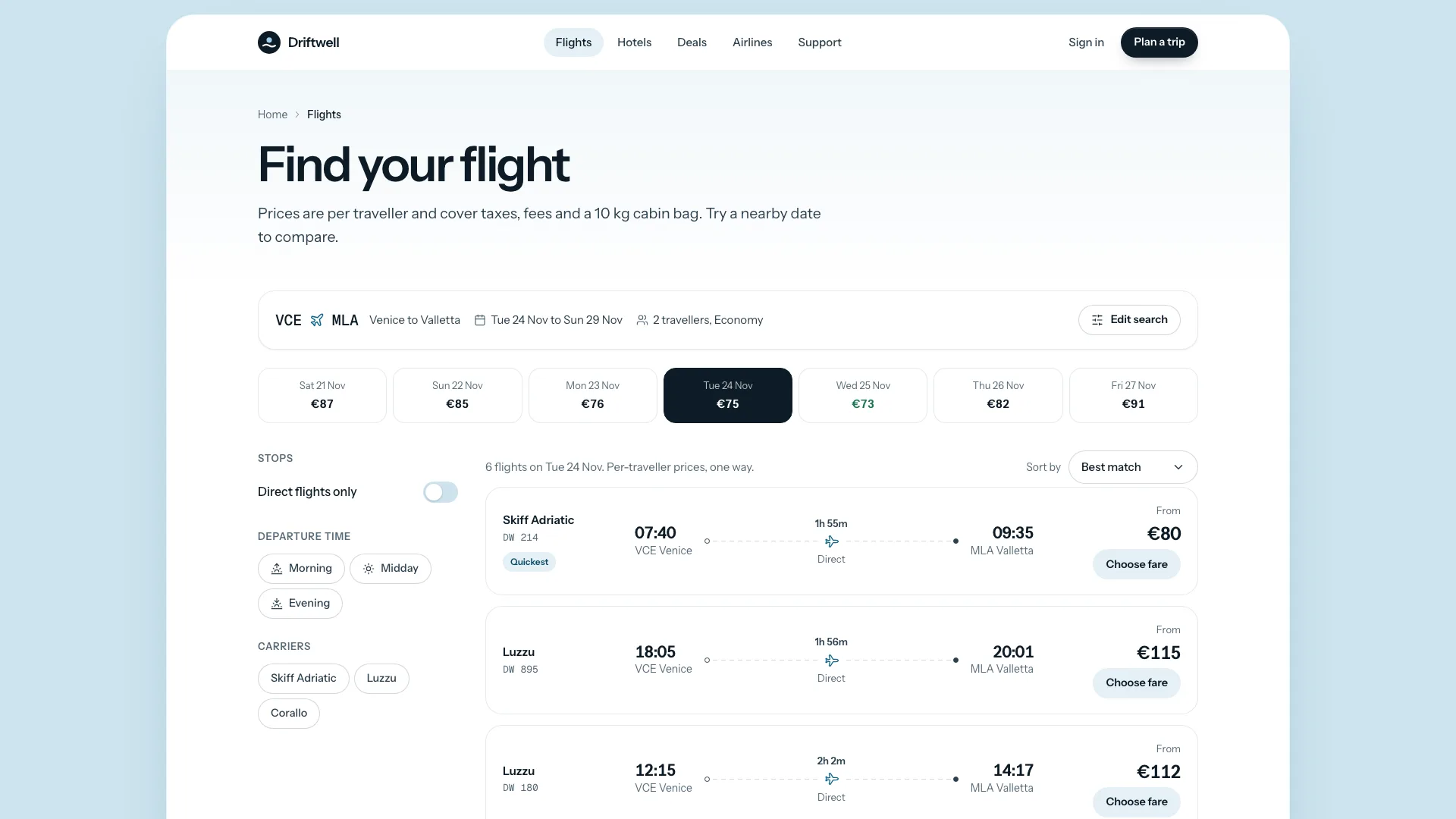
- Flight results with neighbouring dates, filters, sorting and fare selection; seat maps on departure pages; rooms and a running total on hotel pages; deals and airlines; a booking request in three steps; contact, help, about, newsletter, sign in and a 404
- A fifteen-picture plan with prompts and motion rules, a checker covering links, routes, sandbox safety and sample leftovers, and a packer that inlines the fonts and pictures
Good fit
- Travel agents and tour operators selling flights bundled with hotels
- Regional airlines, hotel groups and villa agents wanting a booking front end
- Travel startups that need a complete, convincing site before the booking engine is connected
Not for
- Live fares, seat holds or payments: search and forms run in the page and transmit nothing until a booking provider is connected
- Dark, loud or club-night brands
- Sites that must display real airline logos or ratings nobody can verify
About this Skill
Flight Booking Landing is a web design skill for Claude Fable 5 that builds a travel site with the ease of a bright morning at the gate. A pale sky border wraps one rounded white shell, and a silver jet drifts between a short capitalised headline and a search box with trip types, an airport finder, a two-month calendar and a passenger count. Behind it runs a real booking front end: sample results you can filter and price, a seat map on every departure page, a booking card on every hotel page, deals, an airlines fare grid, a three-step request, help and sign in, all in one offline HTML file.
How it works
- Collect your airports, routes, featured flights, hotels with their rooms and policies, deals and the staff who reply; gaps are drafted and flagged for you
- The agent replaces the data block and rewrites the copy with your brand's wording, fares and destinations
- It creates the pictures from the slot plan, packs a single file and reruns the validator until it passes
- Search, filter, choose a seat and send a request on phone, tablet and desktop, then say what should change
Checked before delivery
- validate-design.mjs passes: single file, one h1 per route, every link and route resolves, labelled controls, no remote assets, structured data
- Every fare, price, time, airport, hotel fact and policy matches the brief; no invented punctuality figures, ratings or partnerships
- Search widget, calendar, travellers, results filters, fare choice, seat map, hotel booking card, the booking request, every form and the drawer work at 390, 768, 1024 and 1440 px and inside a sandboxed frame
What you need before you start
- You bring
- Brand name, studio address, phone, email and advisor hours · Airports with city, country, coordinates and time zone, partner airlines with routes, fleet, seat pitch and punctuality · Featured departures with times, timelines and on-board details, hotels with rooms, prices, amenities, surroundings and policies · Deals, advisors with portraits and languages, support questions in topics, and the fare rules for Light, Classic and Flex
- Dependencies
- Node.js 20+; internet only during the build, to fetch the two font files once · Pictures come from your agent's image generator, which may charge per picture
- Outside costs
- None
- Last tested
- v0.1.1 — Claude Code / Codex / Cursor
User reviews
Loading reviews…
FAQ
Are the flights in the search real?
No. A seeded generator produces the results, so every search feels genuine and gives the same answer twice, and the booking request ends on a confirmation page. Hook up your booking provider or an advisor inbox before going live.
What if we have no photos yet?
The example ships with generated pictures in all fifteen slots, and your own page gets a prompt and a final size for each. The jet, the cabin and the two departure moods are general enough to keep for a first launch.
Will the page fetch anything online?
No. The packer embeds the fonts and pictures in the file, so the finished page makes no requests. A hosted site can keep its fonts and images next to the page instead.